Terminal is a Craze
Have you ever looked at the plain black terminal where you run your commands like python3 hello.py and results pops up. It might suffice your need of seeing output or error, but that's all right. Where is the pep, color, "cool hacker factor" in it? You don't have anything like that, and most people don't move away from that either.
But then you have unixporn reddit where you look at people's terminal and you are like "ohh my gaaahhh"!!! Their terminals and setup makes you feel just like the name suggests, atleast for some people, the hecker people!
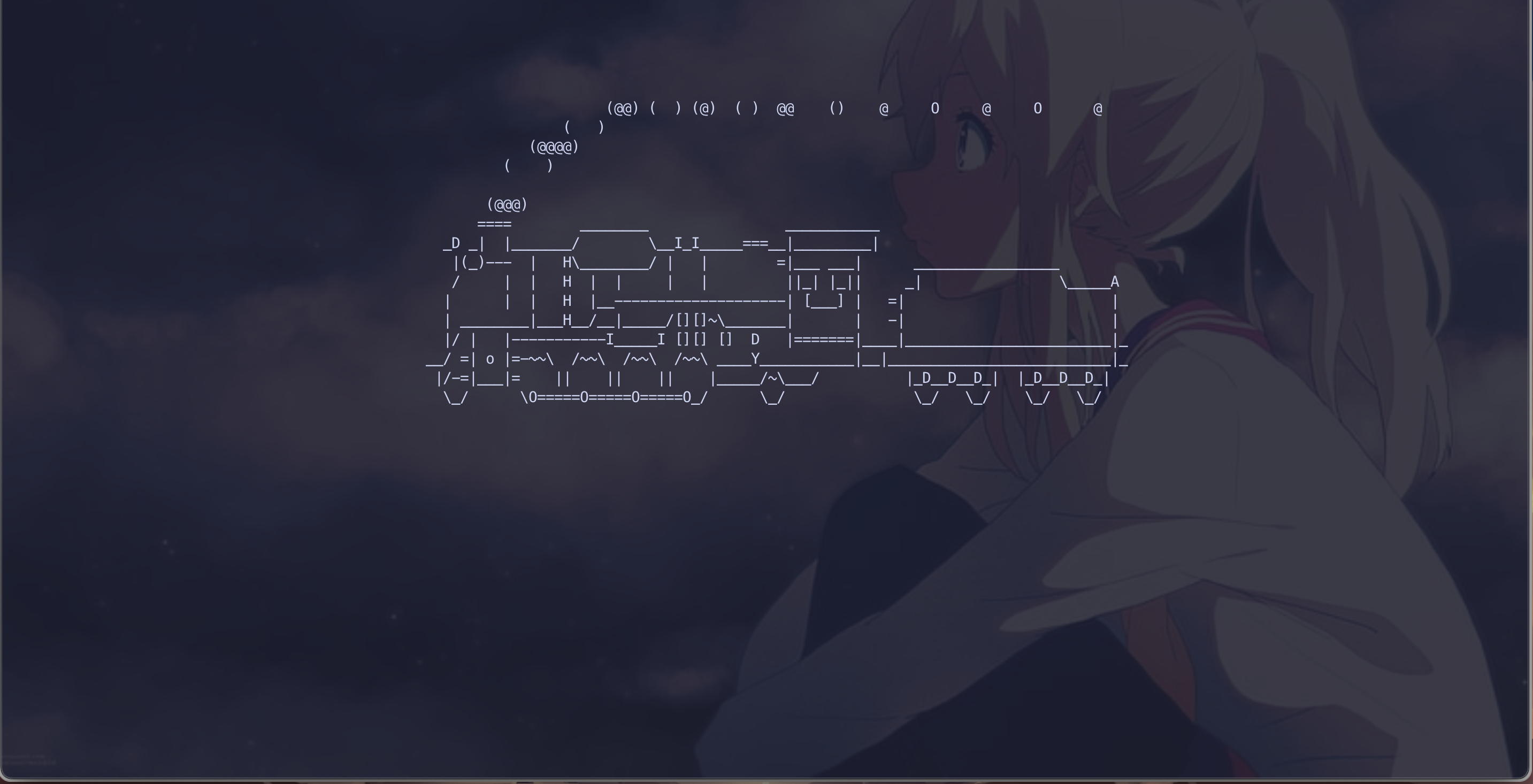
For me, terminal is a relaxation. Earlier I used to find it boring or useless I would say(rather intimidated by it). But since that one day I was shown the train on terminal sl, my point of view changed and I went on a journey to discover how the hell a smoking train came into terminal! And that lead to the discovery of this world about Terminals, TUI's and CLI's and how I started to love it(well atleast so far).
History
It all started back in January 2024. Databased Club (UG Computer Science Club of IISc) organised Missing Semester sessions based on the MIT's one to teach the students some basics of terminal, git, etc. At the time, here was my level of knowledge-
- I did not know what is shell, shell scripting, bash. I just knew
bash hello.shor simply./hello.shworks. - My MacOS terminal was the one you get when you newly purchase Mac. Absolutely no configs. I did not know zsh, fish, powershell(or that even bash was a language or a type of shell!).
- Difference between terminal and shells. Forget about the word "Emulator".
I never even opened up Terminal, I used to use VS code terminal for all things(mainly python). So you can call this Level 0 - Noob Giga Max. Even my batchmates knew more than me(oh wait, FAAR more than me).
In the first few sessions, I learnt that man page is something to see info about commands, some info about git and that trains exist on terminal along with cowsay. That's when the sessions stopped and exams came. Fast forward ...
In March, I got some free time to look about sl and I discovered Homebrew, the god! And then I started watching Josean Martinez, Typecraft and ThePrimeagen videos about customising your terminal, changing your "Emulator" to iTERM(which I look forward to use Ghostty), about Vim, NeoVim, Tmux, fzf and much more. In April, in between the holidays I got for Math exam, by then my level of knowledge became LEVEL 3: Learning Vim (over Emacs) and that too NeoVim(noobs go for brand new fancy stuff), I was configuring my NeoVim by some Youtube videos. And then I never used it!
Catalyst
In between I discovered "Edex-UI". OH!!! MY!!! GAAAAHH! That was the best thing I ever wanted to see. Although it took too much RAM that it ran slow on my small Mac, but it's fine. It gives me "chills" whenever I see it boot!
Evolution
My end-sems of first year ended and by then I would say my knowledge was LEVEL 4: Learning Actual Vim (over Emacs). Sorry I heard way too many better reviews for Vim than Emacs. Cause the population for Emacs << Vim(or Neovim) users, plus Emacs people need to shout "EMACS! EMACS! EMACS! EMACS!" many times to prove their point, unlike Vim users.
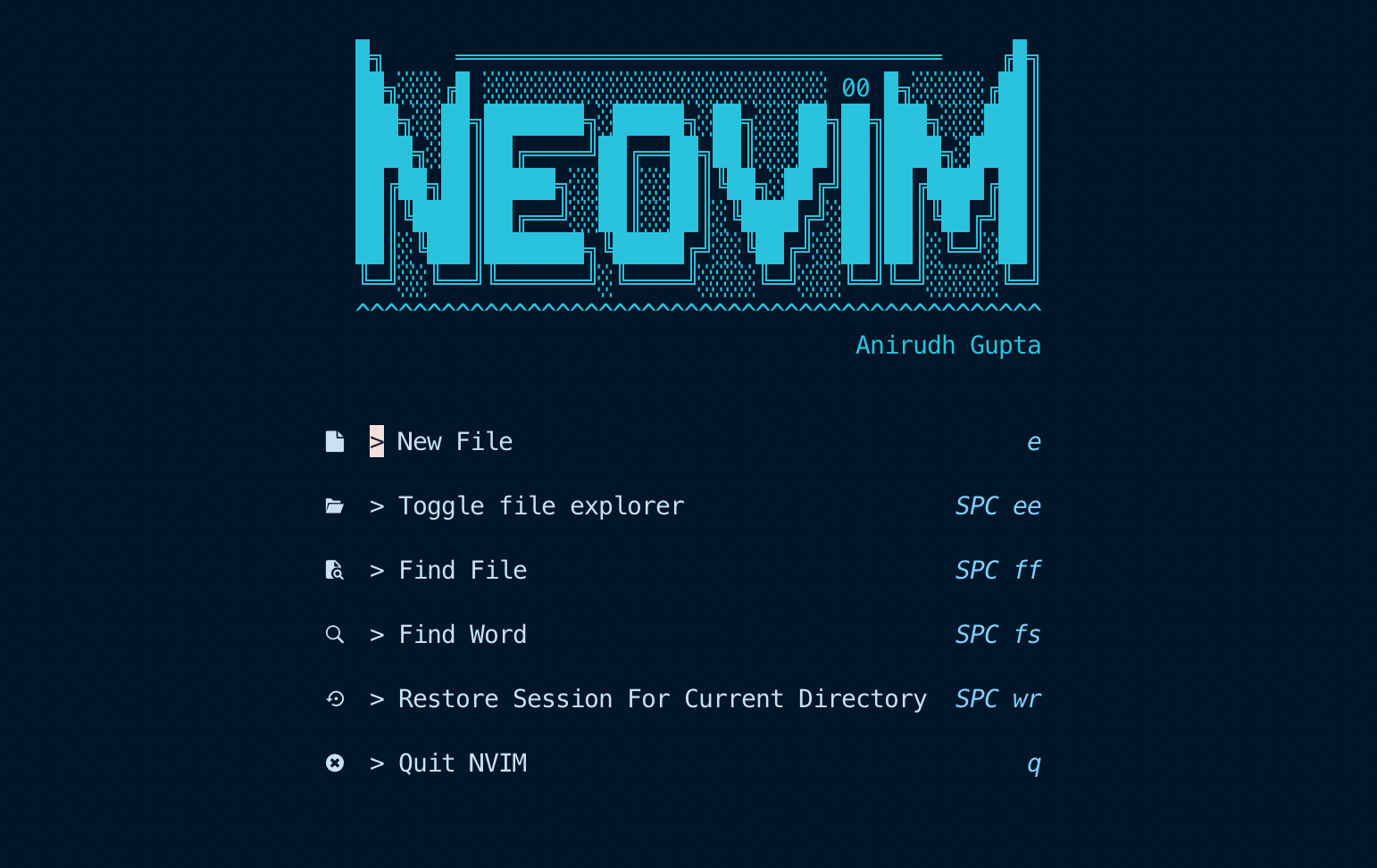
Anyways, I started my summer with a good Tmux, NeoVim configs and I dived into the world of terminal tools and how they work. I learnt you can make terminal tools using "ANY LANGUAGE". And that's why my bird brain went for "SHELL SCRIPTING" for my first TERMINAL TOOL!
My Creations
Cheatshh
I saw people loved using cheatsheets and there were CLI's for the same purpose to store then locally for people to refer. So I noticed there was no CLI which used fzf to store groups of commands. So I made cheatshh! In shell script! Why? Cause I thought changing fzf preview would be easier like this.
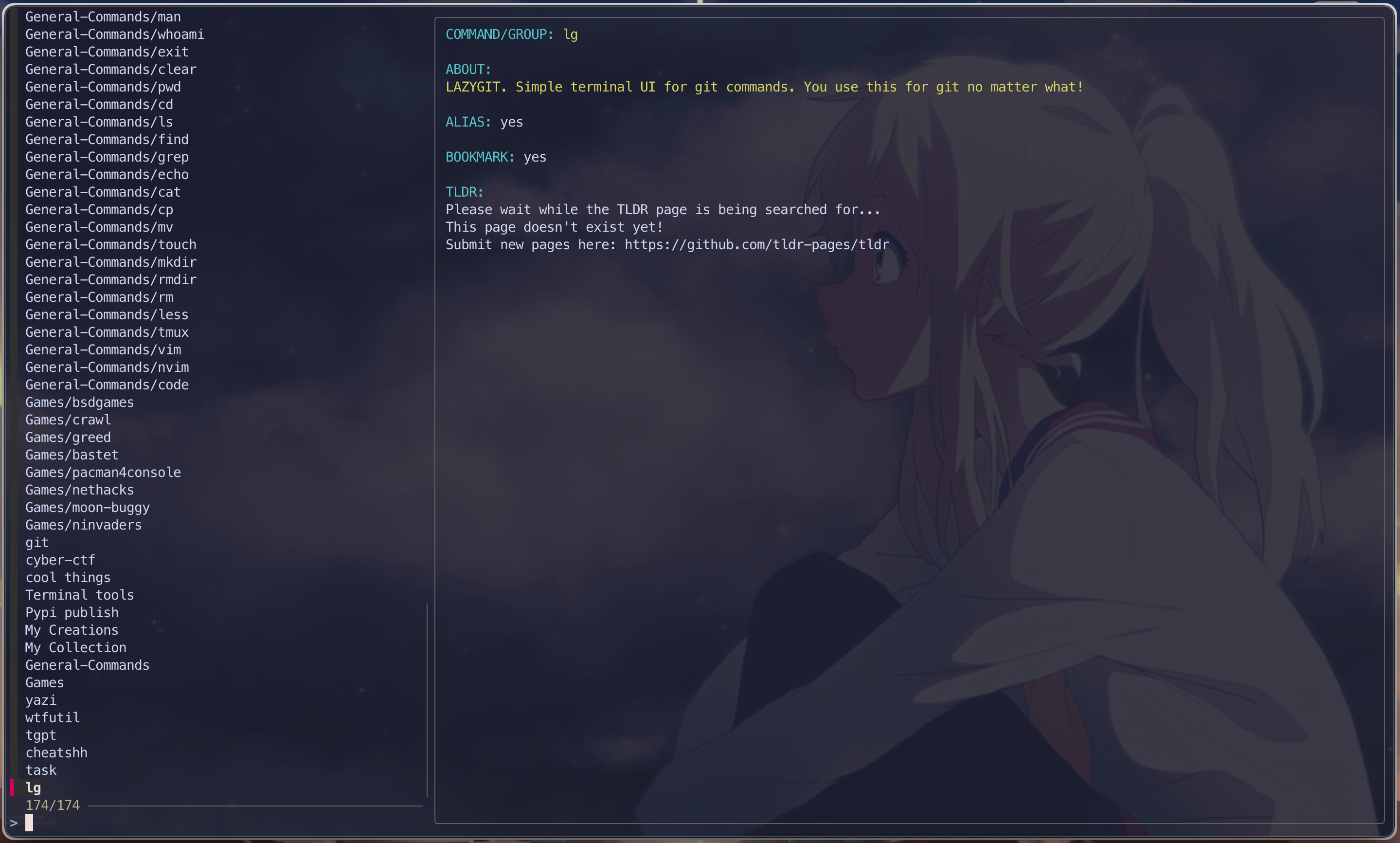
It has the below features -
- Add, edit and delete commands and groups
- fzf wrapper for commands and groups with preview having TLDR and custom text
- Bookmarking, changing some settings like if you want something else apart from TLDR, etc.
I did not understand the value of "Releases" and how Pypi and GitHub releases work. I made 4 releases within a month. Any new feature => RELEASE! But I realised that if I were to critique someone based on this, I would rate him poorly. So the next release, which actually deserved a released was made a month later.
Check it out at: https://github.com/AnirudhG07/Cheatshh
I created some more like Typeinc, morseet and many more, which you can see on my website or my GitHub.
Typeinc
I had gotten fond of curses. In my sem, I made a lot of creative things with python turtle and curses library. And I wanted to make something COOL! I wanted to make a terminal of my own. I had designed a curses keyboard which would move a key up-down when you press a key. I thought simply make a box, input text there, subprocess run it and boom! done. But all hell broke loose and I coudn't do it. But I learn soo much that I made a Typing speed test. I just had to give premade text and use my experience to just color it character by character, design some scoring altos and you are done!
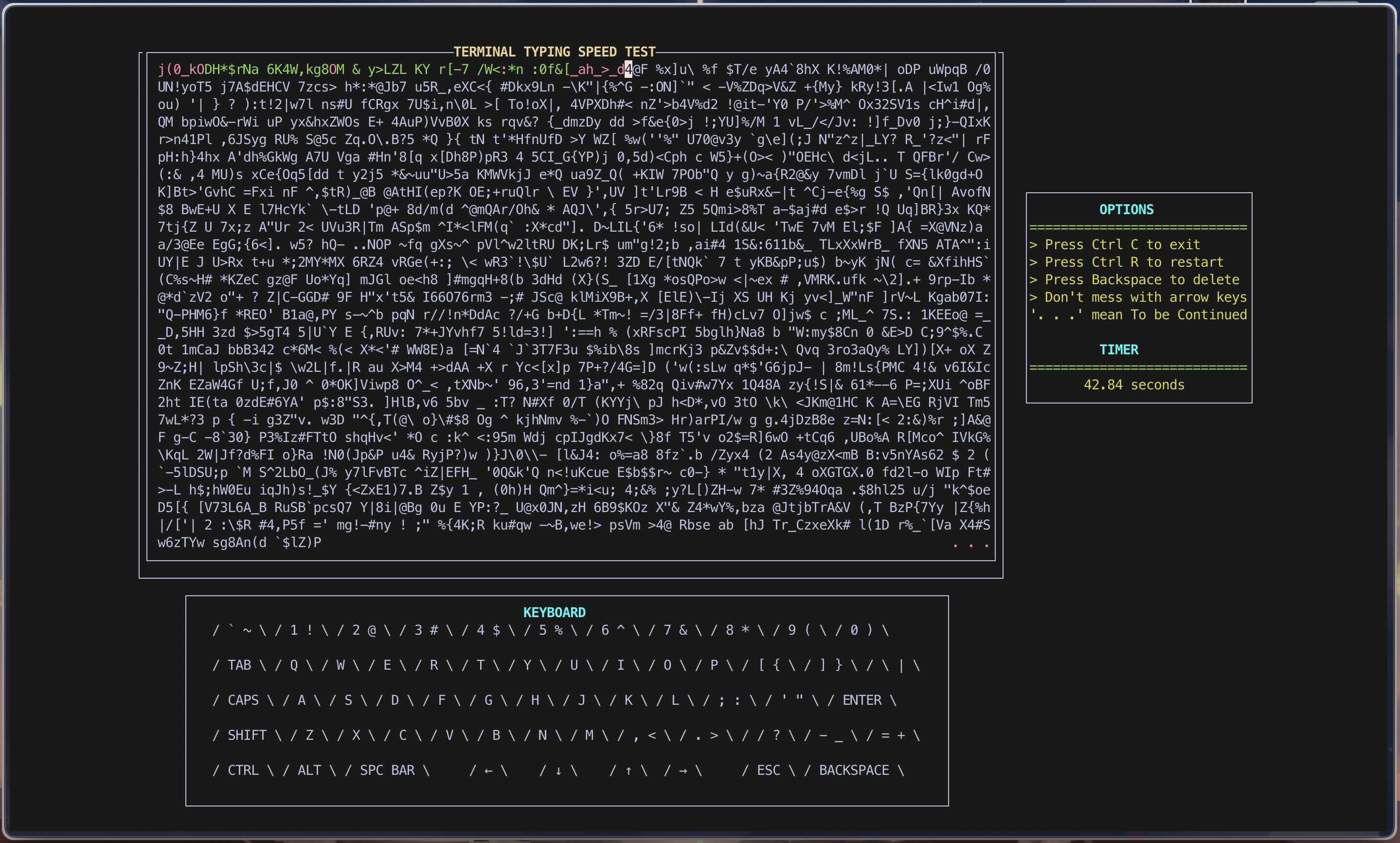
This was my first curses based project and I started getting a hang of things after this. How Pypi publishing works, how to make Homebrew Tap and things started looking good.
Then I made a smaller version, with less UI for smaller screens since a friend of mine was having issues with all the components. This took me a day, cause I had to just remove stuff and get it work for my friend.
Check it out at: https://github.com/AnirudhG07/Typeinc
Morseet
This was I made just cause the UDEMY course I took on Python had an assignment, but I was not gonna stop on just converting text to morse, I made a whole python CLI which can do -
- Text to morse and morse to text
- SOS signals and configurations
- Point 1 for an input file
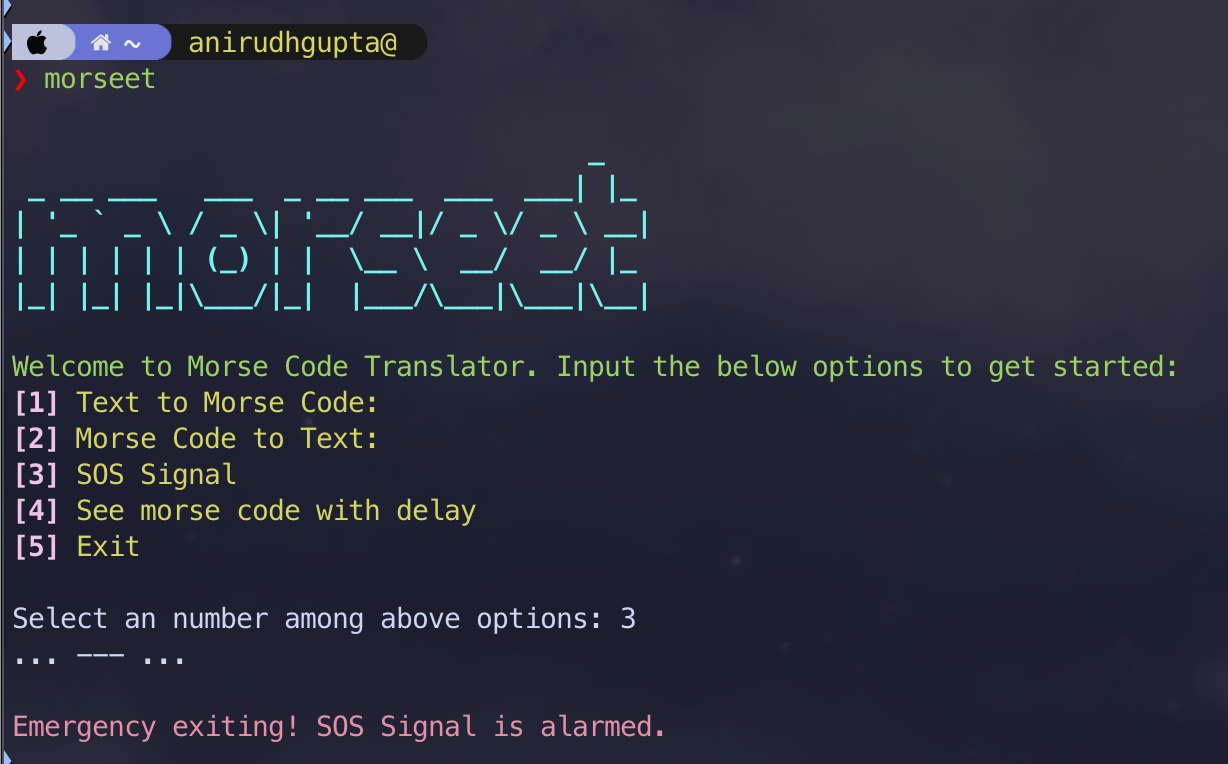
See! Took my 2 days for everything, cause I know how and what to do.
Check it out at: https://github.com/AnirudhG07/morseet
ntfyme
Again, same inspiration but now task was to "automate something in your life". I always wanted (since before January) a way, my code ends and I get a notification. I coudn't find one and if I did, didnt fit my expectations.
I took this change to make ntfyme, which is a notification tool for your command, which will run and notify you with Output, Errors, Return Code, Time taken, Pid, etc. through local notification, Gmail, Telegram, etc.
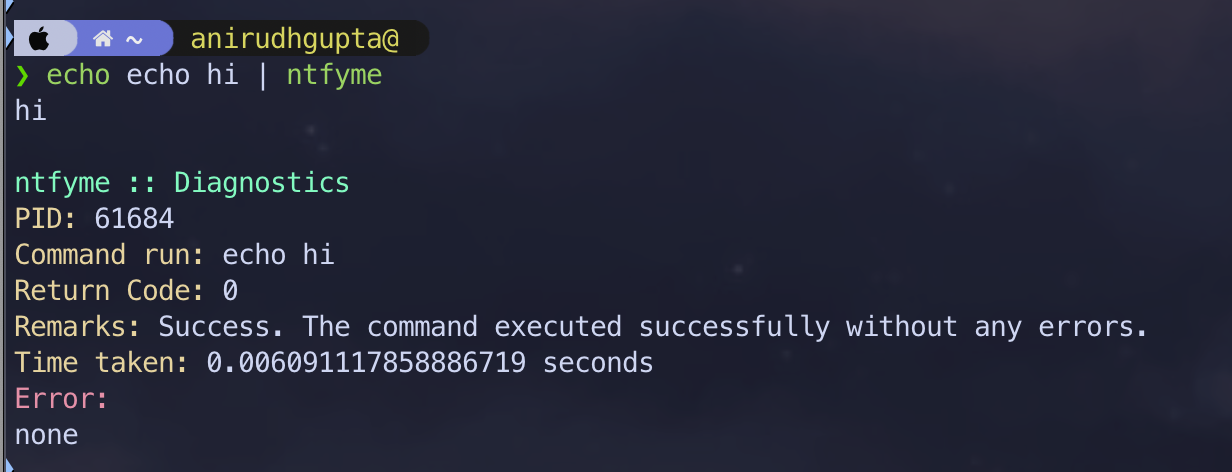
This was an easy task to make and a bloody hard task to debug to make work for all platforms (MacOS, linux, windows and WSL). WSl was a pain to deal with, but at the end it works!
Check it out at: https://github.com/AnirudhG07/ntfyme
But that's about my creations, why is terminal a craze then??? It's just that terminal is so extendible that you can start living in the terminal! Yes you dont use file manager, VS Code, Spotify, Mail, etc. anymore. All of them have much more faster, convenient and beautiful terminal alternatives. And the best part is, most of them are Open Source, so you can learn and make your own, contribute to them and make the terminal ecosystem better!
Here are some of the tools I use and love -
Yazi: File manager
Yazi is my love! It is the best file manager EVER! Better than ranger, mc, lf, nnn, etc. I discovered Yazi when Typecrft used it in his video and ever since, I was in love! I made plugins for it, made some docs contributions and made awesome-yazi which is awesome repository for YAZI plugins! I don't ever use Finder or any file manager anymore! I instantly download yazi in any remote machine and just LIVE IN IT! Once you use it, game over!
Check it out at: https://github.com/AnirudhG07/awesome-yazi
Neovim: Code Editor
Neovim is the best code editor in the world! I am not even exaggerating. It is so extendible, fast, has so many plugins and you can make your own plugins in any language! I love vim bindings since they help me code faster and, honestly, if you use neovim customized in front of everyone, you are the cool dude in the gang!
Check out my dotfiles for neovim here
Lazygit: Git
If you want to use git, writing git commands are not old, we use lazygit. It takes a few key strokes to open lazygit, add files, commit files and push to github. All less than 3 seconds! It is really easy to use, intuitive and mainly, gets your work done with confidence.
Tmux
Tmux is terminal multiplexer, if you don't know what it is, it is worth knowing it. Most Terminal Emulators have it now by default(like tabs and panes). But I like to use tmux, for its easy use of multiple panes, tabs, sessions, and plugins to make my experience better and personalized.
Can't you just start using it everyday and you dont really need to use any GUI applications at all. There are in-terminal browsers, mail applications, spotify TUI! That's just applications, you can customize your terminal to look really fancy with different themes, shell plugins and prompts(like powrlevel10k, starship, etc.) and borders, background images, shortcut keys and much more! I don't think I'll ever go away from using all this, cause it has become a part of me. I am officially living inside the terminal!
Forward ahead
I learnt so many things in my summer before 3rd sem starts. I learnt Vim motions, and as I mentioned, I am actually using NeoVim for most work, tmux, LAZYGIT (another BANGER), Yazi, Taskwarrior(just very HANDY) and much more.
I will keep making more and more terminal tools. Not just python, but Rust(learning) and hopefully JS, Go and more language in future.
My laptop just became Level 10 now. I love my configs(https://github.com/AnirudhG07/dotfiles) and sketchy bar, borders, iTERM, zsh, p10k and what not!
Terminal is a Craze, if you start loving it, it can become a dull shit to cool shit!